Forking repositories with jj
“Fork” is one of the most-used words in day-to-day work with GitHub, GitLab, Gitea,
Forgejo or Bitbucket, and it does not exist in git, nor in jj. git help has no fork
command; neither does jj help. Everything that makes forking feel like a natural
extension of version control is a feature of the hosting platform, bolted on top of a
tool that only knows repositories, commits, and refs - and jj doesn’t touch that
boundary at all. The examples below use jj throughout, in colocated mode.
A fork is a platform feature, and jj inherits that gap unchanged. When a platform
forks a repository, it creates a second repository, owned by a different account or
group, whose history starts out identical to the original. From git’s point of view -
and jj never disagrees with git’s point of view here - the two are just two independent
repositories that happen to share a common ancestor commit. Nothing in .git, and
nothing jj adds on top of it, records “this is a fork of that.” That association lives
entirely in the platform’s own database, reachable through its web UI or API.
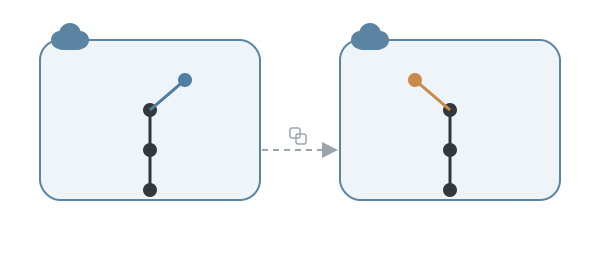
jj renames the local vocabulary, not the remote plumbing. Branch became bookmark,
HEAD became @, but jj git clone, jj git remote, jj git fetch and jj git push
still talk to the exact same git remotes, over the exact same protocols, as their git
counterparts. Cloning your fork and adding the original back as a second remote reads
almost like git with a prefix inserted:
jj git clone --colocate https://example.com/you/project.git
cd project
jj git remote add upstream https://example.com/original/project.git
jj git fetch --remote upstream
origin and upstream are still just names, still enforced by nothing but habit.
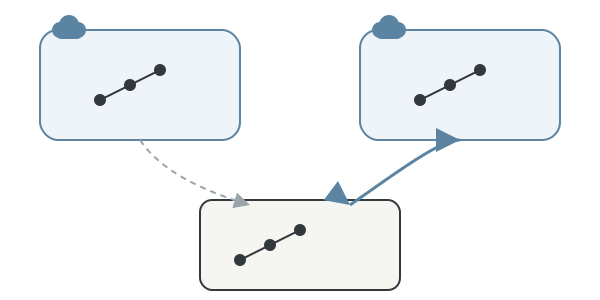
A bookmark that doesn’t follow you is exactly what makes syncing painless here. A
git branch checked out on main moves every time you commit, which is precisely why
keeping a fork’s main pristine takes discipline - one absent-minded commit and it has
drifted. A jj bookmark never moves unless told to, so as long as no commit is ever
described on top of it, syncing is not a merge or a rebase, just moving a pointer to
where the fetch already landed:
jj git fetch --remote upstream
jj bookmark set main -r main@upstream
jj git push --remote origin --bookmark main
If git.auto-local-bookmark is off, that first fetch leaves upstream’s state reachable
only as main@upstream until jj bookmark track main@upstream promotes it to something
jj bookmark set can target by its plain name.
Contributing still means pushing a bookmark to the fork, never to upstream. You
almost never have write access there, jj or not. A bookmark is created, pushed to
origin, and the moment it crosses onto the remote it stops being a bookmark at all -
jj git push writes it as an ordinary git branch, because that’s the only vocabulary
the remote, and the platform reading it, understands.
jj new main -m "fix timeout"
jj bookmark create fix-timeout
jj git push --remote origin --bookmark fix-timeout
The pull or merge request is opened afterward through the platform’s UI or API, comparing that branch against upstream’s target branch - a comparison the platform makes entirely in git terms, with no awareness that a bookmark was ever involved.
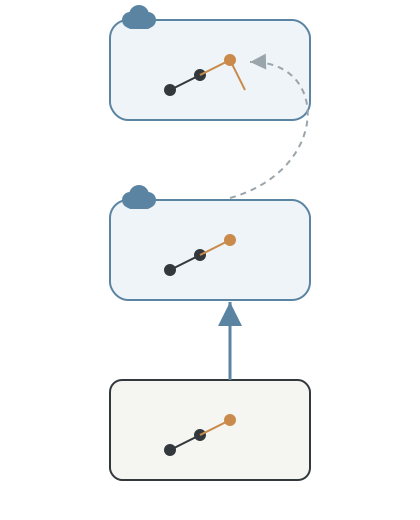
Colocated mode means the pre-platform fallback never went away. A bare repository
served over SSH, with no GitHub, GitLab or similar layer on top, has no concept of a
fork and no pull request to open. jj git push and jj git fetch work against it just
fine - they always worked against any git remote, platform or not - but the “propose a
change” step falls back to what git supported before any of these platforms existed.
Because colocated mode keeps a real .git directory sitting right there, git format-patch and git am are exactly as available as they always were. jj never
tried to replace that layer, so there was nothing to lose.
Renaming or deleting the upstream repository is invisible to jj in exactly the way
it’s invisible to git. A jj git remote entry is still just a URL; jj has no more
vocabulary than git does for “the platform moved this out from under you.” That blind
spot was never local bookkeeping to begin with - it sits on the far side of the same
boundary where forking itself lives, the one jj deliberately stopped short of touching.